A GUIDED PROMPT COLLECTION · BY MOLLY
The Consistent Mini Me Prompt Kit
Keep your illustrated character recognizable while giving it different jobs.
Let’s try one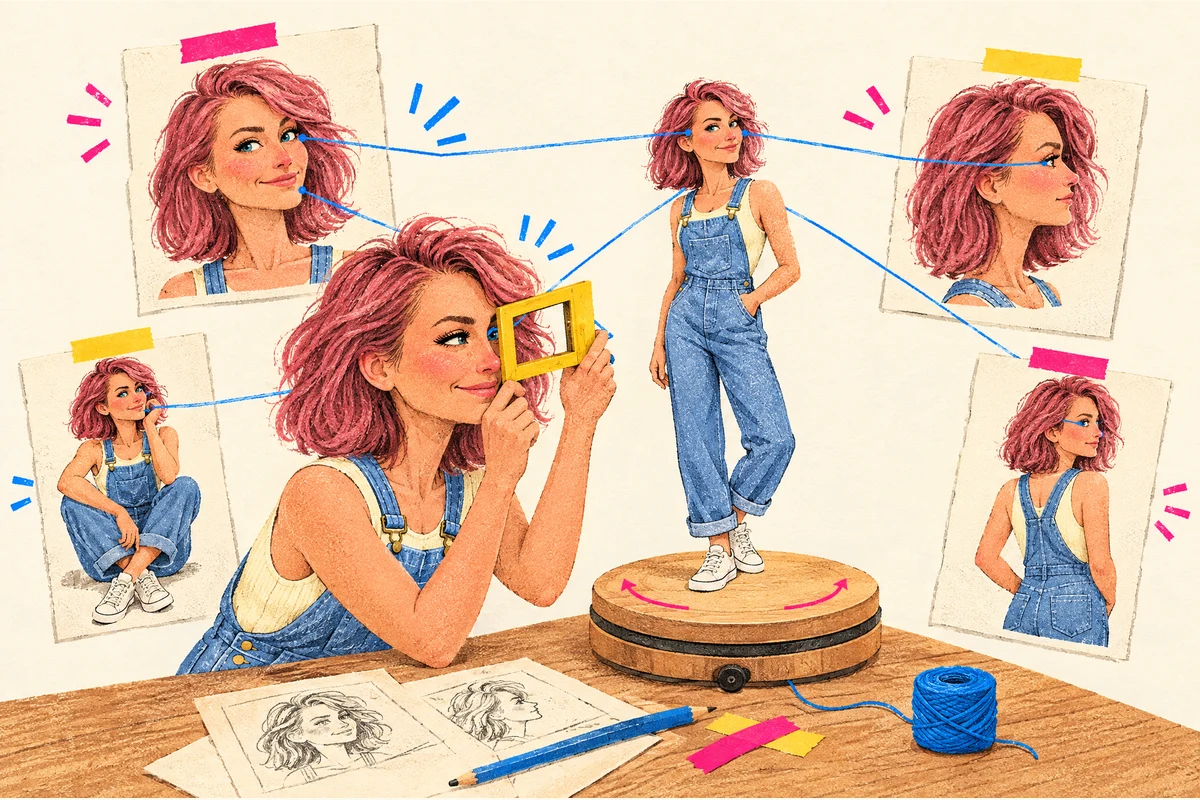
These are portable creative briefs, not commands that guarantee identity matching. Your image tool must actually support image references and the requested editing features.
A recurring character should look like the same person doing different things. Otherwise your guide has accidentally hired six cousins.
What you’ll work toward: A character brief, a small pose plan, and a repeatable reference-and-review process.
Before you begin
- Your own current identity photos, or images you have permission to use.
- One approved character/style reference if you already have one.
- An image-generation or editing tool that supports the references and output you need.
When you reach a copy button, paste the prompt into your AI chat. It will ask for the details it needs, one question at a time.
Write the identity and style brief
Upload your own authorized current photos and use Prompt 1. Ask the assistant to say which photos it can inspect.
Choose the identity traits that must stay recognizable separately from your preferred drawing style and outfit. Read the brief and correct it before using Prompt 2.
Write the character brief
Separate identity from illustration treatment. The prompt asks for your details first. Check the filled-in request it prepares, then send it to start.
Read the prompt + an example
Help me get ready to use “1. Write the character brief”. I am new to this. Interview me before doing the task. I do not need to fill in this message first.

Ask one short question at a time in plain language, and wait for my answer. Start with what I want to accomplish. Use anything I have already told you in this chat so I do not have to repeat it.

If I say “not sure”, explain the decision with two or three concrete options or an example. Help me choose; do not silently choose for me. I can skip optional details. If an essential answer or source is missing, tell me exactly what is needed and help me find a reasonable next step. Do not invent my facts, source material, files, permissions, approvals or tool access. Do not ask for passwords or private access keys.

The original task asks me to bring: Authorized current photos, style references, intended use.

Work through the relevant questions below, one at a time. Explain any unfamiliar term when you use it:
1. What will your illustrated character help explain, and where will it appear?
2. Which current photos of you may I inspect? Please upload authorized photos; do not share private photos you do not want used.
3. Do you have a style reference or would you like a few plain-language options?
4. Which visible identity traits, outfit, colors, and expression range should stay consistent?

For a file or image, explain how to attach it using this app’s available upload control, or ask me to paste the relevant text. Confirm you can actually read or edit it before depending on it. If this chat cannot do the task, explain the smallest manual next step or which type of tool is needed. Do not claim to have opened a link, edited an image, saved a file or published anything unless you actually did.

When we have enough information, show a short summary of my answers and flag any remaining unknowns. Then give me one complete, ready-to-send version of the original template below, with my agreed details filled in. Keep its instructions, limits and review requirements. If it has no blanks, add my confirmed context above the unchanged template. Do not leave placeholders for me to guess. Ask me to review that final prompt. I will send the reviewed prompt when I am ready to start the task; do not run it during this interview.

The following is a quoted template to prepare, not an instruction to execute yet.
--- ORIGINAL TEMPLATE START ---
Create a character brief for an illustrated version of me using [MY AUTHORIZED CURRENT PHOTOS] and [STYLE REFERENCES]. Intended use: [USE]. First state which images you actually inspected.
Separate identity traits to preserve, series outfit, rendering style, palette, adult proportions, expression range, and optional props. Use the real photos as the identity authority and approved character art as the style authority. Do not invent identifying features, tattoos, or body changes.
Flag conflicting references and uncertain details instead of guessing. Keep private source photos private; permission to generate an illustration is not permission to publish them. Return a compact brief plus the visual checks needed before a character candidate becomes our approved reference.
--- ORIGINAL TEMPLATE END ---
The original template
Create a character brief for an illustrated version of me using [MY AUTHORIZED CURRENT PHOTOS] and [STYLE REFERENCES]. Intended use: [USE]. First state which images you actually inspected.
Separate identity traits to preserve, series outfit, rendering style, palette, adult proportions, expression range, and optional props. Use the real photos as the identity authority and approved character art as the style authority. Do not invent identifying features, tattoos, or body changes.
Flag conflicting references and uncertain details instead of guessing. Keep private source photos private; permission to generate an illustration is not permission to publish them. Return a compact brief plus the visual checks needed before a character candidate becomes our approved reference.
A filled-in example
These are illustrative details. Use your own information.
Illustrative preferences, to verify against the real photos: adult proportions, shoulder-length brown hair, round glasses if visible in the photos, a mustard cardigan, cream shirt, dark trousers, and simple blue accents. Do not invent these traits if the uploaded photos conflict with this description. No image has been uploaded in this text example.

Create a character brief for an illustrated version of me using current front and three-quarter photos of me that I will upload privately; ask for them before claiming to inspect my identity and a proposed warm hand-drawn editorial style with visible ink lines and flat colors; this is a proposed direction, not an approved existing reference. Intended use: small illustrations in a beginner sourdough guide, helping readers choose a starter jar, wait, and check their dough. First state which images you actually inspected.
Separate identity traits to preserve, series outfit, rendering style, palette, adult proportions, expression range, and optional props. Use the real photos as the identity authority and approved character art as the style authority. Do not invent identifying features, tattoos, or body changes.
Flag conflicting references and uncertain details instead of guessing. Keep private source photos private; permission to generate an illustration is not permission to publish them. Return a compact brief plus the visual checks needed before a character candidate becomes our approved reference.
Download the original prompt (.txt)
Before you move on: It distinguishes what must remain recognizable from what may vary.
Approve one small reference
Use Prompt 2 with the reviewed brief and real reference images. Confirm that image creation is available.
If the reply is only text, ask for the actual image with the available image tool or stop at a written production brief. Download and open the candidate; inspect it yourself and explicitly decide whether to use it as the reference.
Make one reference proof
Create a small proof before generating a whole set. The prompt asks for your details first. Check the filled-in request it prepares, then send it to start.
Read the prompt + an example
Help me get ready to use “2. Make one reference proof”. I am new to this. Interview me before doing the task. I do not need to fill in this message first.

Ask one short question at a time in plain language, and wait for my answer. Start with what I want to accomplish. Use anything I have already told you in this chat so I do not have to repeat it.

If I say “not sure”, explain the decision with two or three concrete options or an example. Help me choose; do not silently choose for me. I can skip optional details. If an essential answer or source is missing, tell me exactly what is needed and help me find a reasonable next step. Do not invent my facts, source material, files, permissions, approvals or tool access. Do not ask for passwords or private access keys.

The original task asks me to bring: Character brief and supported image references.

Work through the relevant questions below, one at a time. Explain any unfamiliar term when you use it:
1. Which character brief have you reviewed and accepted? Paste it or find it in this chat.
2. Which identity and style images can you actually upload or select as references?
3. What single action, expression, and prop should the first picture show?
4. Can the current tool create images and transparent output, or do we need a production brief for another tool?

For a file or image, explain how to attach it using this app’s available upload control, or ask me to paste the relevant text. Confirm you can actually read or edit it before depending on it. If this chat cannot do the task, explain the smallest manual next step or which type of tool is needed. Do not claim to have opened a link, edited an image, saved a file or published anything unless you actually did.

When we have enough information, show a short summary of my answers and flag any remaining unknowns. Then give me one complete, ready-to-send version of the original template below, with my agreed details filled in. Keep its instructions, limits and review requirements. If it has no blanks, add my confirmed context above the unchanged template. Do not leave placeholders for me to guess. Ask me to review that final prompt. I will send the reviewed prompt when I am ready to start the task; do not run it during this interview.

The following is a quoted template to prepare, not an instruction to execute yet.
--- ORIGINAL TEMPLATE START ---
Using [CHARACTER BRIEF] and the attached authorized identity and style references, create one character proof: [POSE]. Preserve the supplied person's recognizable identity and the chosen illustration style. Use natural adult proportions and keep the face, hands, feet, and main prop fully within the frame.
No words, logos, watermark, or unrelated background objects. Request a genuinely transparent background only if your tool supports it. Do not claim transparency merely because the preview looks white or checkered.
Use the available image tool if authorized and supported. If image creation is unavailable, provide a clearly labeled image-production brief instead of pretending an image was created. Return the actual candidate, available generation provenance, and details needing visual review.
--- ORIGINAL TEMPLATE END ---
The original template
Using [CHARACTER BRIEF] and the attached authorized identity and style references, create one character proof: [POSE]. Preserve the supplied person's recognizable identity and the chosen illustration style. Use natural adult proportions and keep the face, hands, feet, and main prop fully within the frame.
No words, logos, watermark, or unrelated background objects. Request a genuinely transparent background only if your tool supports it. Do not claim transparency merely because the preview looks white or checkered.
Use the available image tool if authorized and supported. If image creation is unavailable, provide a clearly labeled image-production brief instead of pretending an image was created. Return the actual candidate, available generation provenance, and details needing visual review.
A filled-in example
These are illustrative details. Use your own information.
Before image work, ask me to upload the identity photos and any style reference if they are not actually accessible. No reference image or approval is implied by this sample. Create a candidate only with my current tool’s supported image capability; otherwise return the complete production brief.

Using this illustrative brief, pending my confirmation against uploaded photos: a recognizable adult version of me, verified hair and glasses from my current photos, mustard cardigan, cream shirt, dark trousers, warm ink-line editorial drawing, cream/mustard/blue palette. Use actual identity photos as authority; no added features and the attached authorized identity and style references, create one character proof: standing with a starter jar held at waist height, a curious smile, both shoes visible, with generous space around the head, hands, jar, and feet. Preserve the supplied person's recognizable identity and the chosen illustration style. Use natural adult proportions and keep the face, hands, feet, and main prop fully within the frame.
No words, logos, watermark, or unrelated background objects. Request a genuinely transparent background only if your tool supports it. Do not claim transparency merely because the preview looks white or checkered.
Use the available image tool if authorized and supported. If image creation is unavailable, provide a clearly labeled image-production brief instead of pretending an image was created. Return the actual candidate, available generation provenance, and details needing visual review.
Download the original prompt (.txt)
Before you move on: Face, proportions, hairstyle, clothing, and rendering fit the brief.
Plan meaningful poses
Paste your guide outline and the brief you personally accepted into Prompt 3. Read the pose list.
For each useful new action, upload or select your actual approved reference and use Prompt 4. Generate and review one pose at a time; a planned pose is not an image file.
Plan the character’s jobs
Make poses serve the tutorial. The prompt asks for your details first. Check the filled-in request it prepares, then send it to start.
Read the prompt + an example
Help me get ready to use “3. Plan the character’s jobs”. I am new to this. Interview me before doing the task. I do not need to fill in this message first.

Ask one short question at a time in plain language, and wait for my answer. Start with what I want to accomplish. Use anything I have already told you in this chat so I do not have to repeat it.

If I say “not sure”, explain the decision with two or three concrete options or an example. Help me choose; do not silently choose for me. I can skip optional details. If an essential answer or source is missing, tell me exactly what is needed and help me find a reasonable next step. Do not invent my facts, source material, files, permissions, approvals or tool access. Do not ask for passwords or private access keys.

The original task asks me to bring: Guide outline and approved character brief.

Work through the relevant questions below, one at a time. Explain any unfamiliar term when you use it:
1. What are the guide’s main steps and where does a reader need reassurance or an explanation?
2. What character brief and images have you personally approved, if any?
3. Which saved poses already exist, and what new instructional actions would help?
4. Where will each picture sit, and which instructions must remain separate selectable text?

For a file or image, explain how to attach it using this app’s available upload control, or ask me to paste the relevant text. Confirm you can actually read or edit it before depending on it. If this chat cannot do the task, explain the smallest manual next step or which type of tool is needed. Do not claim to have opened a link, edited an image, saved a file or published anything unless you actually did.

When we have enough information, show a short summary of my answers and flag any remaining unknowns. Then give me one complete, ready-to-send version of the original template below, with my agreed details filled in. Keep its instructions, limits and review requirements. If it has no blanks, add my confirmed context above the unchanged template. Do not leave placeholders for me to guess. Ask me to review that final prompt. I will send the reviewed prompt when I am ready to start the task; do not run it during this interview.

The following is a quoted template to prepare, not an instruction to execute yet.
--- ORIGINAL TEMPLATE START ---
Plan a small set of character moments for [GUIDE OUTLINE]. Use [APPROVED CHARACTER BRIEF]. For each appearance list: reader question or feeling; instructional job; distinct pose; expression; one meaningful prop; placement; and one short reaction line.
Vary the action while preserving identity and visual style. Reuse a saved approved pose when it genuinely fits; label it reused. Propose a new pose only when it adds a useful action or story beat. Keep the humor about the situation, not the reader.
Do not put essential instructions inside generated lettering. Return a compact storyboard with text intended to be rendered separately. Do not imply that a planned pose has already been generated or approved.
--- ORIGINAL TEMPLATE END ---
The original template
Plan a small set of character moments for [GUIDE OUTLINE]. Use [APPROVED CHARACTER BRIEF]. For each appearance list: reader question or feeling; instructional job; distinct pose; expression; one meaningful prop; placement; and one short reaction line.
Vary the action while preserving identity and visual style. Reuse a saved approved pose when it genuinely fits; label it reused. Propose a new pose only when it adds a useful action or story beat. Keep the humor about the situation, not the reader.
Do not put essential instructions inside generated lettering. Return a compact storyboard with text intended to be rendered separately. Do not imply that a planned pose has already been generated or approved.
A filled-in example
These are illustrative details. Use your own information.
Plan a small set of character moments for a beginner sourdough starter guide: choose a clean jar; mix flour and water; mark the level; wait; compare the rise with the mark. Reader worries: choosing equipment, waiting too soon, knowing what to observe. Use no real character has been approved for this example. Use this proposed planning brief only: adult character, identity traits must come from photos, mustard cardigan, cream shirt, dark trousers, warm ink-line editorial style, cream/mustard/blue palette. Mark all proposed poses as unapproved and ask for my actual approved brief before production. For each appearance list: reader question or feeling; instructional job; distinct pose; expression; one meaningful prop; placement; and one short reaction line.
Vary the action while preserving identity and visual style. Reuse a saved approved pose when it genuinely fits; label it reused. Propose a new pose only when it adds a useful action or story beat. Keep the humor about the situation, not the reader.
Do not put essential instructions inside generated lettering. Return a compact storyboard with text intended to be rendered separately. Do not imply that a planned pose has already been generated or approved.
Download the original prompt (.txt)
Generate one new pose
Create a distinct scene from an approved reference. The prompt asks for your details first. Check the filled-in request it prepares, then send it to start.
Read the prompt + an example
Help me get ready to use “4. Generate one new pose”. I am new to this. Interview me before doing the task. I do not need to fill in this message first.

Ask one short question at a time in plain language, and wait for my answer. Start with what I want to accomplish. Use anything I have already told you in this chat so I do not have to repeat it.

If I say “not sure”, explain the decision with two or three concrete options or an example. Help me choose; do not silently choose for me. I can skip optional details. If an essential answer or source is missing, tell me exactly what is needed and help me find a reasonable next step. Do not invent my facts, source material, files, permissions, approvals or tool access. Do not ask for passwords or private access keys.

The original task asks me to bring: Approved character image, identity refs, exact pose brief.

Work through the relevant questions below, one at a time. Explain any unfamiliar term when you use it:
1. Which exact character picture did you approve? Can you upload it together with current identity photos?
2. What useful action should this new pose show, and how should the character feel?
3. What one prop is needed, and what should stay exactly the same?
4. Does the tool support reference images, editing, and actual transparency? If not, what output can it honestly provide?

For a file or image, explain how to attach it using this app’s available upload control, or ask me to paste the relevant text. Confirm you can actually read or edit it before depending on it. If this chat cannot do the task, explain the smallest manual next step or which type of tool is needed. Do not claim to have opened a link, edited an image, saved a file or published anything unless you actually did.

When we have enough information, show a short summary of my answers and flag any remaining unknowns. Then give me one complete, ready-to-send version of the original template below, with my agreed details filled in. Keep its instructions, limits and review requirements. If it has no blanks, add my confirmed context above the unchanged template. Do not leave placeholders for me to guess. Ask me to review that final prompt. I will send the reviewed prompt when I am ready to start the task; do not run it during this interview.

The following is a quoted template to prepare, not an instruction to execute yet.
--- ORIGINAL TEMPLATE START ---
Create one new pose using [APPROVED CHARACTER IMAGE] as the visual-style reference and [MY CURRENT AUTHORIZED IDENTITY REFERENCES] as identity support. Action: [ACTION]. Expression: [EXPRESSION]. Prop: [PROP].
Preserve the approved face, proportions, hairstyle, outfit, material texture, line treatment, and palette unless this brief explicitly changes them. Create a different action rather than merely moving the old prop. Keep hands, shoes, and props intact and inside the image boundary. No generated words.
Use supported reference inputs and image-editing features; do not substitute invented reference IDs or claim unavailable tools. Keep the background transparent if supported. Return the actual candidate and a note of which reference assets and job identifiers were actually used.
--- ORIGINAL TEMPLATE END ---
The original template
Create one new pose using [APPROVED CHARACTER IMAGE] as the visual-style reference and [MY CURRENT AUTHORIZED IDENTITY REFERENCES] as identity support. Action: [ACTION]. Expression: [EXPRESSION]. Prop: [PROP].
Preserve the approved face, proportions, hairstyle, outfit, material texture, line treatment, and palette unless this brief explicitly changes them. Create a different action rather than merely moving the old prop. Keep hands, shoes, and props intact and inside the image boundary. No generated words.
Use supported reference inputs and image-editing features; do not substitute invented reference IDs or claim unavailable tools. Keep the background transparent if supported. Return the actual candidate and a note of which reference assets and job identifiers were actually used.
A filled-in example
These are illustrative details. Use your own information.
Illustrative pose request only. No approved picture or identity photos are attached in this text example. Wait for those real inputs and my confirmation before making a candidate; do not record any approval on my behalf.

Create one new pose using the reference picture I will supply and personally confirm as approved; ask for it if it is missing, and do not invent a reference ID as the visual-style reference and my current front and three-quarter photos, to be uploaded privately before image work as identity support. Action: crouching beside a starter jar and pointing at a rubber-band level marker without covering the jar. Expression: curious and patient, with a small smile. Prop: one clear starter jar with a plain rubber-band marker; no written label.
Preserve the approved face, proportions, hairstyle, outfit, material texture, line treatment, and palette unless this brief explicitly changes them. Create a different action rather than merely moving the old prop. Keep hands, shoes, and props intact and inside the image boundary. No generated words.
Use supported reference inputs and image-editing features; do not substitute invented reference IDs or claim unavailable tools. Keep the background transparent if supported. Return the actual candidate and a note of which reference assets and job identifiers were actually used.
Download the original prompt (.txt)
Before you move on: Each pose helps tell the story and uses the same identity reference.
Check and save the kit
Upload the actual candidate and approved reference for Prompt 5. Inspect any checks the assistant cannot run yourself.
Tell it which image you personally approve before using Prompt 6. Download actual files, keep failed attempts for comparison, and keep source photos private.
Provenance means the record of which source, tool, and generation job produced each image.
Compare the actual candidate
Catch identity and production drift. The prompt asks for your details first. Check the filled-in request it prepares, then send it to start.
Read the prompt + an example
Help me get ready to use “5. Compare the actual candidate”. I am new to this. Interview me before doing the task. I do not need to fill in this message first.

Ask one short question at a time in plain language, and wait for my answer. Start with what I want to accomplish. Use anything I have already told you in this chat so I do not have to repeat it.

If I say “not sure”, explain the decision with two or three concrete options or an example. Help me choose; do not silently choose for me. I can skip optional details. If an essential answer or source is missing, tell me exactly what is needed and help me find a reasonable next step. Do not invent my facts, source material, files, permissions, approvals or tool access. Do not ask for passwords or private access keys.

The original task asks me to bring: Approved reference, candidate, pose brief.

Work through the relevant questions below, one at a time. Explain any unfamiliar term when you use it:
1. Which actual candidate and personally approved reference should I compare? Upload both.
2. What exact pose brief was used, and which changes were intentional?
3. Which identity and style traits matter most to you?
4. Can the tool inspect actual file dimensions and transparency, or should those checks stay unverified?

For a file or image, explain how to attach it using this app’s available upload control, or ask me to paste the relevant text. Confirm you can actually read or edit it before depending on it. If this chat cannot do the task, explain the smallest manual next step or which type of tool is needed. Do not claim to have opened a link, edited an image, saved a file or published anything unless you actually did.

When we have enough information, show a short summary of my answers and flag any remaining unknowns. Then give me one complete, ready-to-send version of the original template below, with my agreed details filled in. Keep its instructions, limits and review requirements. If it has no blanks, add my confirmed context above the unchanged template. Do not leave placeholders for me to guess. Ask me to review that final prompt. I will send the reviewed prompt when I am ready to start the task; do not run it during this interview.

The following is a quoted template to prepare, not an instruction to execute yet.
--- ORIGINAL TEMPLATE START ---
Compare [CANDIDATE IMAGE] with [APPROVED CHARACTER REFERENCE] and [POSE BRIEF]. State which images you can actually inspect. Check recognizable facial identity, hair, body proportions, outfit, rendering, palette, expression, hands, feet, props, and unclipped margins.
If tools support file inspection, report actual dimensions and alpha/transparency properties. Otherwise mark those checks unverified. Distinguish an intentional pose difference from identity drift.
Return check, PASS/FAIL/UNCERTAIN, visual evidence, and a focused fix. Do not mark my approval on my behalf. Keep background transparency and visual appearance as separate checks. Recommend accepting, repairing, or retaining the candidate for human review, with reasons.
--- ORIGINAL TEMPLATE END ---
The original template
Compare [CANDIDATE IMAGE] with [APPROVED CHARACTER REFERENCE] and [POSE BRIEF]. State which images you can actually inspect. Check recognizable facial identity, hair, body proportions, outfit, rendering, palette, expression, hands, feet, props, and unclipped margins.
If tools support file inspection, report actual dimensions and alpha/transparency properties. Otherwise mark those checks unverified. Distinguish an intentional pose difference from identity drift.
Return check, PASS/FAIL/UNCERTAIN, visual evidence, and a focused fix. Do not mark my approval on my behalf. Keep background transparency and visual appearance as separate checks. Recommend accepting, repairing, or retaining the candidate for human review, with reasons.
A filled-in example
These are illustrative details. Use your own information.
Illustrative comparison setup: no candidate or reference is present in this text example. Ask for missing images, inspect only what is supplied, and leave my approval for me to decide.

Compare the starter-jar-pointing candidate I will upload; request the actual file before reviewing with the reference picture I will upload and personally confirm as approved; do not treat its filename as approval and crouching next to one clear starter jar, pointing at a rubber-band level marker, patient smile, same confirmed identity and mustard-cardigan outfit as the reference, head/hands/shoes/jar fully inside the image. State which images you can actually inspect. Check recognizable facial identity, hair, body proportions, outfit, rendering, palette, expression, hands, feet, props, and unclipped margins.
If tools support file inspection, report actual dimensions and alpha/transparency properties. Otherwise mark those checks unverified. Distinguish an intentional pose difference from identity drift.
Return check, PASS/FAIL/UNCERTAIN, visual evidence, and a focused fix. Do not mark my approval on my behalf. Keep background transparency and visual appearance as separate checks. Recommend accepting, repairing, or retaining the candidate for human review, with reasons.
Download the original prompt (.txt)
Save a reusable character kit
Keep future poses consistent. The prompt asks for your details first. Check the filled-in request it prepares, then send it to start.
Read the prompt + an example
Help me get ready to use “6. Save a reusable character kit”. I am new to this. Interview me before doing the task. I do not need to fill in this message first.

Ask one short question at a time in plain language, and wait for my answer. Start with what I want to accomplish. Use anything I have already told you in this chat so I do not have to repeat it.

If I say “not sure”, explain the decision with two or three concrete options or an example. Help me choose; do not silently choose for me. I can skip optional details. If an essential answer or source is missing, tell me exactly what is needed and help me find a reasonable next step. Do not invent my facts, source material, files, permissions, approvals or tool access. Do not ask for passwords or private access keys.

The original task asks me to bring: Approved art, source references, generation records.

Work through the relevant questions below, one at a time. Explain any unfamiliar term when you use it:
1. Which individual pose files and character brief have you actually approved?
2. Where are source photos and generation records, and which must stay private?
3. Where do you want the reusable kit saved, and can this assistant write there?
4. What uses, dimensions, and file checks are verified rather than just requested?

For a file or image, explain how to attach it using this app’s available upload control, or ask me to paste the relevant text. Confirm you can actually read or edit it before depending on it. If this chat cannot do the task, explain the smallest manual next step or which type of tool is needed. Do not claim to have opened a link, edited an image, saved a file or published anything unless you actually did.

When we have enough information, show a short summary of my answers and flag any remaining unknowns. Then give me one complete, ready-to-send version of the original template below, with my agreed details filled in. Keep its instructions, limits and review requirements. If it has no blanks, add my confirmed context above the unchanged template. Do not leave placeholders for me to guess. Ask me to review that final prompt. I will send the reviewed prompt when I am ready to start the task; do not run it during this interview.

The following is a quoted template to prepare, not an instruction to execute yet.
--- ORIGINAL TEMPLATE START ---
Build a reusable character kit from [APPROVED ASSETS AND RECORDS] in [AUTHORIZED DESTINATION]. Include a short character guide, approved pose list, intended use for each pose, source/provenance record, output dimensions if verified, and a new-pose brief template.
Separate private identity references from public delivery assets. Do not copy private photos into a public website folder or include credentials in the manifest. Keep individual pose images separate; a contact sheet is only a preview.
Save files only if your tools support the destination and the action is authorized. Read back the saved text files or otherwise verify them where possible. Report actual file locations and any missing assets. Do not claim a reusable skill was installed or saved to another service without confirmation.
--- ORIGINAL TEMPLATE END ---
The original template
Build a reusable character kit from [APPROVED ASSETS AND RECORDS] in [AUTHORIZED DESTINATION]. Include a short character guide, approved pose list, intended use for each pose, source/provenance record, output dimensions if verified, and a new-pose brief template.
Separate private identity references from public delivery assets. Do not copy private photos into a public website folder or include credentials in the manifest. Keep individual pose images separate; a contact sheet is only a preview.
Save files only if your tools support the destination and the action is authorized. Read back the saved text files or otherwise verify them where possible. Report actual file locations and any missing assets. Do not claim a reusable skill was installed or saved to another service without confirmation.
A filled-in example
These are illustrative details. Use your own information.
Illustrative intended kit: a starter-jar holding pose and a level-marker pointing pose for a beginner sourdough guide. Proposed style: warm ink-line drawing with cream, mustard, and blue accents. The actual images, identity references, approval decisions, and generation records must be supplied before recording their status.

Build a reusable character kit from the actual individual pose images, reviewed brief, and generation notes I will supply. First list them and ask me to confirm which are approved; no asset is approved merely because it is named “final” in a private character-kit folder if the assistant can create a downloadable folder or ZIP; otherwise return the complete character guide and manifest text here for me to save manually. Do not upload private photos to any public site. Include a short character guide, approved pose list, intended use for each pose, source/provenance record, output dimensions if verified, and a new-pose brief template.
Separate private identity references from public delivery assets. Do not copy private photos into a public website folder or include credentials in the manifest. Keep individual pose images separate; a contact sheet is only a preview.
Save files only if your tools support the destination and the action is authorized. Read back the saved text files or otherwise verify them where possible. Report actual file locations and any missing assets. Do not claim a reusable skill was installed or saved to another service without confirmation.
Download the original prompt (.txt)
Before you move on: Transparency, crop, hands, props, and identity have been inspected rather than assumed.
Check it. Save the useful version.
Open the actual result and use it as the reader would.
Download each actual image separately and keep it in a folder named mini-me. Keep private reference photos in a separate private folder. Copy the brief and your approval decisions into character-notes. Open downloaded pictures and inspect the face, hands, feet, and edges before marking any as approved.
If you get stuck
The character’s face keeps changing.
Use the same approved character reference and current identity references; request one focused repair instead of restarting the whole style.
The background only looks transparent.
Inspect the file’s alpha channel if supported, or mark transparency unverified and fix through the image tool.
The character is decorative clutter.
Remove appearances that do not explain an action or a useful reaction.
Keep the useful bits.
Download all prompts and examples (.txt)Download the complete written guide (.md)The full example, sources + extra notes
Illustrative example: the gardening guide sidekick
Every illustration request produces a different face, outfit, and drawing style.
- Create a brief from current identity photos and one chosen rendering reference.
- Approve a standing reference, then plan a soil-check pose and a watering pose.
- Compare both candidates with the approved reference and save only the intended public illustrations to the site.
Expected result: a small coherent character kit, with source photos kept private.
These are original, provider-independent prompt templates based on our documented production practices. Examples are illustrative. Tool access, output quality, and available file actions depend on your assistant and account.
Editorially reviewed prompt library. No end-to-end execution of these newly written prompts or the illustrative example was performed for this library. Test the actual outputs in your environment before using them.
Mini Molly is our example of a saved character system. Make your own identity references; Molly’s private source photos are not included in this public library. Keep character speech as selectable page text when possible.
- Mini Molly character workflow
SOURCE: existing project method. The portable prompts below are newly written RECOMMENDED ADDITIONS, not quotations from a tool provider.
The illustrations explain the process; they are not screenshots of completed work.
WHEN YOU WANT HELP WITH THE NEXT STEP
Want to turn your know-how into something people can buy?
Make your first small digital product and launch it with Molly, one step a day.
December 1–14. Daily videos, three office hours, a private group, and feedback from Molly.
Join the waitlistDoors open Nov 24 for one week. The waitlist gets $47 for the first 48 hours (then $97), and keeps 40+ of my AI agents after the challenge.