THE INSTAGRAM SAVES GUIDE · BY MOLLY
You saved it.
Now use it.
Turn one saved tutorial into clear instructions. Then use them to make something of your own.
Let’s try one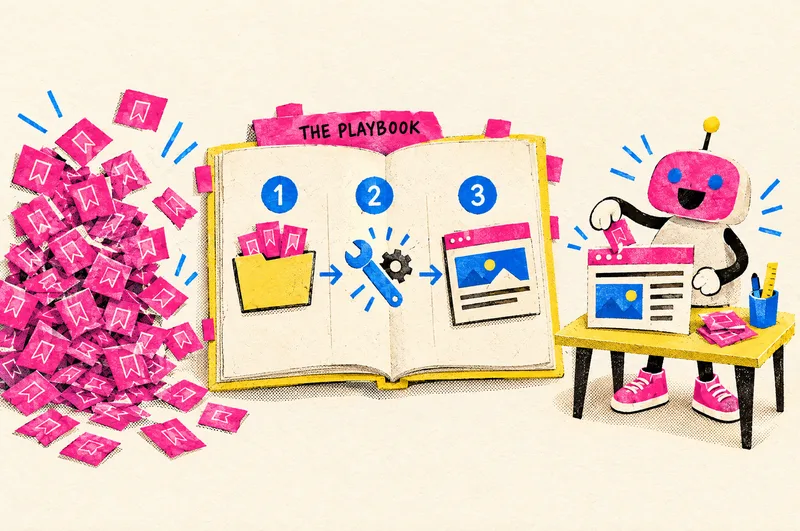
My Instagram Saved folder was a graveyard of good ideas.
I didn’t need more tutorials. I needed a way to turn tutorials into finished work. So I built one.
Here’s the small version you can try today. Have ChatGPT or Claude open, and keep one saved post handy.
A saved post Clear instructions Something you can use
Pick a post you actually want to try.
Choose a tutorial that shows you how to make one thing. A checklist, a simple graphic, or a page is a good place to start.
Open the post. Copy its link, the creator’s name, and the caption into a note. Bring the slides or video if you have a copy you’re allowed to use. Your own notes from watching it can help too.
Before you move on: you know what you want to make, and you have the post’s instructions to share.

MEI’ll try this tutorial tonight.
MY SAVED FOLDERLovely. See you in six months.
Turn the post into instructions.
In your AI chat, attach your source files or paste the caption and your notes. Then copy the prompt below, paste it into the message box, and press Send.
It will ask you one question at a time. Answer in your own words. “I’m not sure” is fine.
“Help me turn this into steps I can follow.”
You don’t have to fill in a template first. This prompt helps you work out the details as you go.
Read the prompt
Help me try one saved Instagram tutorial.

Start by asking what I want to make. Ask one short question at a time and wait for my reply. If I am not sure, give me two or three simple examples to choose from.

I will share the post link, creator’s name, caption, and any source files I’m allowed to use, or my own notes from watching it. Tell me what you can actually read. If a link or video is inaccessible, explain what to paste or attach instead. Do not invent missing steps.

When you have enough information, confirm the goal with me. Then turn the source into a clear instruction sheet: what I need, numbered steps, what the result should look like, and how to check it. Credit the original creator and keep their instructions separate from your own suggestions. Mark missing details plainly. Do not call a workflow tested unless it was actually run.

Use everyday language and explain unfamiliar words. For now, help me prepare the instructions. Do not make purchases, publish, or change anything.
A link alone might not let AI see the post. If it can’t read something, supply the caption, your notes, or a file it can open. A missing step should stay a question, not become a guess.
Before you move on: read the instructions beside the original post. Do they match? Could you follow them? Resolve any essential gaps first.
Now make your version.
Stay in the same chat. Tell it what you want to make and share your own notes, images, or other files it needs.
For our checklist example, this is where you bring your actual client notes. The tutorial supplies the method. You supply what makes the result yours.
“Use these instructions to help me make mine.”
Your AI checks what it can do, asks for what’s missing, and walks through the work with you.
Read the prompt
Help me use the instruction sheet we just reviewed to make something for my own project.

First ask what I want to make and which actual files or details you need from me. Ask one short question at a time. If this is a new chat and you cannot see the instruction sheet, ask me to paste or attach it.

Read the instructions and check what tools you actually have. Explain which parts you can do and which need me. Stop if an essential step or file is missing; do not guess.

Confirm the plan with me, then work through the steps. Use my real details, not invented examples. Ask before spending money, publishing, or making changes to an external account.

Show me the actual result, explain how to save it, and tell me what you checked and what is still unverified. If you cannot make the file, give me the complete content and the smallest manual next step. Do not describe a file as created or saved unless it really exists.
Before you move on: ask to see the actual result. If the AI can’t create the file, ask for the finished text and the next step you can do yourself.
Open it. Check it. Keep it.
Open the result as if someone just sent it to you. Can you use it without the AI explaining what it meant?
If something is off, name the part: “The checklist is missing the first step. Add it, and keep the rest as it is.”
Download the actual file and open it. Save the instructions beside the result, somewhere you already keep your work.

Look at you. Using a save.
One useful thing beats another saved tutorial.
Next time, start with the instructions you’ve already checked. Bring your new details and make the next version.
Curious how I built the bigger system?
Read the full behind-the-scenes story →Download the original three-prompt kit (.txt)WHEN YOU WANT HELP WITH THE NEXT STEP
Want to turn your know-how into something people can buy?
Make your first small digital product and launch it with Molly, one step a day.
December 1–14. Daily videos, three office hours, a private group, and feedback from Molly.
Join the waitlistDoors open Nov 24 for one week. The waitlist gets $47 for the first 48 hours (then $97), and keeps 40+ of my AI agents after the challenge.