A FREE PRACTICAL GUIDE · BY MOLLY
Build a Carousel That Actually Explains Something
Turn one useful lesson into slides people can follow.
Let’s try one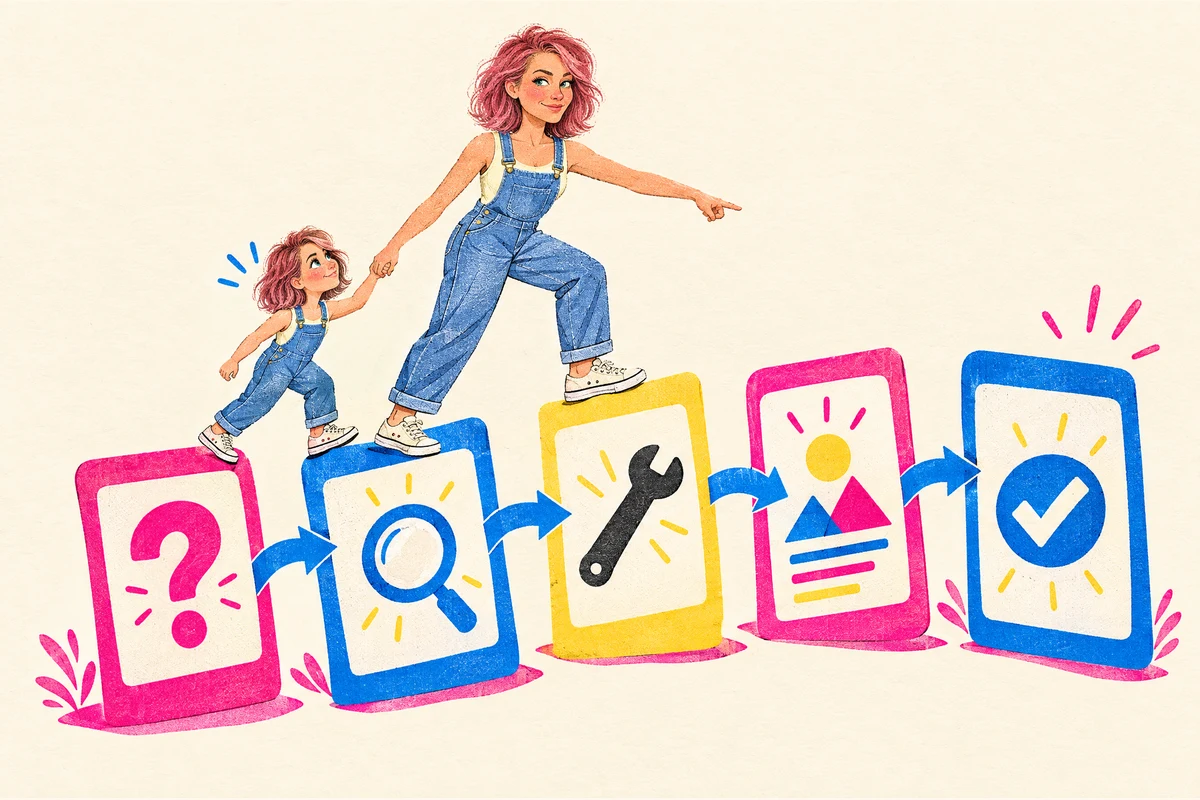
A carousel is a few slides people swipe through. It explains something when every slide has a job, and the last one leaves the reader with one thing to try.
Who it's for
Anyone who knows something useful and wants a post that teaches it: about your work, now or before, something you make by hand or sell, a service, a class, a local shop or a community project.
Use it when
- You know your stuff, but your posts come out as “new stock in” or “book now”, and nobody saves them.
- You run something in person, like a class, a salon, a market stall or a dog-grooming van, and want one post that shows people you know what you're doing before they visit.
- Your slides keep turning into a whole article squeezed onto five squares in tiny text.
- You're starting something of your own and want people to see what you know before you have anything to sell.
You'll get: A slide-by-slide plan with the exact words for each slide, the picture to go with it and a short caption, ready to make in whatever app you use.
How to do it
Decide what they can do after the last slide
Before you make anything, finish this sentence: “After the last slide, you can…” Make it something they could try soon: the same day if they can, or at your next class or visit.
Dog groomer (made up)After the last slide, you can check whether your dog's nails need a trim.
Yoga teacher (made up)After the last slide, you can do a two-minute stretch at your desk.
What good looks like: One action, small enough to do today, said the way your reader would say it.
Watch out for: A topic (“dog care”) or ten tips. Ten tips is an article. A carousel has room for one lesson.
Make the first slide name their problem
People decide on the first slide whether to swipe. Name a problem they already have, in their words. Not your topic, and not your business name.
Dog groomer“Hear clicking on the kitchen floor?”
Home baker (made up)“Cake sinking in the middle?”
What good looks like: Someone with that problem thinks “that's me”, and the rest of the slides keep the first slide's promise.
Watch out for: A first slide that only says your topic, or a big promise like “the secret to…” that the other slides don't deliver.
Give every slide one job
Plan 5 to 7 slides in your notes before you open any app. An order that works for most lessons: the problem, what people usually get wrong, what to do instead, one or two slides that show it with a real example, then one action.
Dog groomerClicking on the floor? / Most people wait until the dog limps / Check them on a hard floor instead / Photo: nails touching the floor / Photo: the same nails after a trim / Try the floor check tonight.
What good looks like: Read only the big words on each slide, in order. It still makes sense, and each slide adds something new.
Watch out for: Every slide saying the headline again in a new color, or one long paragraph cut into five pieces.
Use fewer words and real pictures
One idea per slide, in big text, about 15 words or fewer. Detail goes in the caption under the post. Use pictures that explain: a photo of your work, your hands doing the step, a before and after, or a simple drawing. A phone photo is fine.
What good looks like: Hold your phone at arm's length. You can read every slide, and every picture shows something.
Watch out for: Tiny text, stock photos that only decorate, and words made by an AI image tool. Those often have small spelling mistakes, so type the words yourself in the app.
End with one ask, then test it on one person
The last slide asks for one thing: try it, save it, reply, comment a word, or come to the class. Then show the slides to one person without explaining anything and ask: “What would you do next?”
Molly's postsHer posts about the challenge usually end with one ask: “Comment ALPHA.”
Dog groomer“Try the floor check tonight.”
What good looks like: They can tell you the lesson and the next step in their own words. Fix the slide where they paused.
Watch out for: Three asks on the last slide (follow, share, book), or asking “Is it good?” People say yes to be kind.
Do it with Claude in 10 minutes
This prompt asks you a few quick questions, one at a time, then gives you the plan slide by slide: the words, a picture for each one and a short caption. If you already know your topic, say so in your first answer and it builds on that. To talk instead of type, use the microphone on your phone's keyboard.
Plan my carousel slide by slide
Plan a carousel that teaches one useful thing, slide by slide. Paste it into Claude and answer its few quick questions. The result comes back in the same chat.
Read the prompt + an example
I want to make a carousel, a post of a few slides people swipe through, that teaches one useful thing. It might be about my work, now or before, something I make or sell, a service, a class, or something I do outside work. Help me plan it slide by slide, so I know exactly what goes on each slide before I open any design app.

Find out these things. Each has a purpose. If I've already told you my topic, build on it and skip what you already know. Start with easy, concrete questions:
- what I want to teach and who it's for. If I only have a broad topic, help me pick one small piece of it (purpose: one reader and one lesson keep the slides short; try “what did someone ask you about most recently?”)
- the one thing the reader should be able to do after the last slide (purpose: every slide leads there; try “what would you like them to try today?”)
- where people usually go wrong or get stuck (purpose: this makes the first slides worth stopping for; try “what do you end up fixing or explaining again?”)
- one real example or picture I already have, like a photo of my work, a before and after, or something I could show by hand (purpose: slides that show instead of tell; if I have none, suggest something simple I could photograph or draw)

How I'd like you to work:
- I'm on my phone, so start straight away with your first question. No introduction.
- Ask one short question at a time and wait for my answer. Say in a few words why you're asking.
- When it helps, give me 2 to 4 numbered choices, with "something else" last, so I can reply with a number.
- If an answer is vague, ask for one real example instead of guessing. Don't ask for anything you could suggest yourself.
- Stop once you have enough. That's usually three to five questions. If I say "just do it", make your best guess and tell me what you assumed.
- Write for a phone screen: plain words, short lines, no tables, no jargon.

When you have enough, give me:
- A plan for 5 to 7 slides. For each slide: its job in a few words, the exact words to put on it (big text, about 15 words or fewer), and the picture to go with it, using what I have or something simple I could photograph or draw by hand.
- Slide 1 names the reader's problem in their own words and promises only what the slides deliver. Each slide adds one new thing. The last slide asks for one action only.
- A short caption, 3 to 5 lines, for the detail that didn't fit on the slides.
- One line on how to test it: show it to one person without explaining, and ask what they'd do next.
- Then ask if I'd like a different first slide, fewer words, or step-by-step help making it in the app I use.

Use my words and my facts. Don't invent numbers, results, quotes or steps I didn't mention; if something seems missing, ask me in one line at the end. Don't promise more followers or sales. If a step needs a professional, like a vet, a doctor or an electrician, the slides should say so.
A filled-in example
These are illustrative details. Use your own information.
I want to make a carousel, a post of a few slides people swipe through, that teaches one useful thing. It might be about my work, now or before, something I make or sell, a service, a class, or something I do outside work. Help me plan it slide by slide, so I know exactly what goes on each slide before I open any design app.

Find out these things. Each has a purpose. If I've already told you my topic, build on it and skip what you already know. Start with easy, concrete questions:
- what I want to teach and who it's for. If I only have a broad topic, help me pick one small piece of it (purpose: one reader and one lesson keep the slides short; try “what did someone ask you about most recently?”)
- the one thing the reader should be able to do after the last slide (purpose: every slide leads there; try “what would you like them to try today?”)
- where people usually go wrong or get stuck (purpose: this makes the first slides worth stopping for; try “what do you end up fixing or explaining again?”)
- one real example or picture I already have, like a photo of my work, a before and after, or something I could show by hand (purpose: slides that show instead of tell; if I have none, suggest something simple I could photograph or draw)

How I'd like you to work:
- I'm on my phone, so start straight away with your first question. No introduction.
- Ask one short question at a time and wait for my answer. Say in a few words why you're asking.
- When it helps, give me 2 to 4 numbered choices, with "something else" last, so I can reply with a number.
- If an answer is vague, ask for one real example instead of guessing. Don't ask for anything you could suggest yourself.
- Stop once you have enough. That's usually three to five questions. If I say "just do it", make your best guess and tell me what you assumed.
- Write for a phone screen: plain words, short lines, no tables, no jargon.

When you have enough, give me:
- A plan for 5 to 7 slides. For each slide: its job in a few words, the exact words to put on it (big text, about 15 words or fewer), and the picture to go with it, using what I have or something simple I could photograph or draw by hand.
- Slide 1 names the reader's problem in their own words and promises only what the slides deliver. Each slide adds one new thing. The last slide asks for one action only.
- A short caption, 3 to 5 lines, for the detail that didn't fit on the slides.
- One line on how to test it: show it to one person without explaining, and ask what they'd do next.
- Then ask if I'd like a different first slide, fewer words, or step-by-step help making it in the app I use.

Use my words and my facts. Don't invent numbers, results, quotes or steps I didn't mention; if something seems missing, ask me in one line at the end. Don't promise more followers or sales. If a step needs a professional, like a vet, a doctor or an electrician, the slides should say so.

---
HOW IT GOES (a made-up example)
Claude: What did a customer ask you about most recently? (So I know what to teach.)
You: I groom dogs. People keep asking how to tell if the nails are too long.
Claude: After the last slide, what should they be able to do? 1. Check the nails at home 2. Know when to book a trim 3. Something else
You: 1
Claude: Where do people usually go wrong? 1. They wait until the dog limps 2. They cut too short 3. Something else
You: 1
Claude: Do you have a photo that shows it? (So the slides show instead of tell.)
You: Before and after photos of a trim.
…then a 6-slide plan, from “Hear clicking on the kitchen floor?” to “Try the floor check tonight”, with a short caption.
Download the original prompt (.txt)
See it in action
Molly plans a carousel about her client work. A re-created chat: the painter's story is Molly's real client work, and the slide plan shows the kind of thing the prompt gives back.
What do you want to teach, and who's it for? (So I know what goes in.)
That what you've already made can become things to sell. It's for people with a full-time job who don't think anyone would buy what they know.
After the last slide, what should they be able to do? 1. List what they've already made 2. Pick one thing to sell 3. Something else
1
Where do people get stuck? 1. They think they need something new 2. They can't see what their work could become 3. Something else
2
Do you have one real example? (So the slides show instead of tell.)
My client, the painter Sean Levon Nash, has 400+ paintings. I restored the photos with AI, then built a Fourthwall store, an Etsy shop with prints and coloring books, and 7 paperback coloring books on Amazon.
Here's a 6-slide plan. 1. The problem: “400+ paintings. What could they become?” Picture: a few of the paintings. 2. What people think: “Who'd buy that?” 3. What to do instead: “Start with what's already there. Fix the photos first.” 4. Show it: prints and coloring books on Etsy and Fourthwall. 5. Show it: 7 paperback coloring books on Amazon. 6. The ask: “List 3 things you've already made.” Plus a caption with the whole story.
What to do next
Make the slides in the app you already use and post them on Instagram, Facebook or LinkedIn. Not on social media? The same plan works as a few photos sent by text, a post in a local group, or a printed card on your counter. Next time, make another one from the next question someone asks you.
Your answer stays in your Claude chat. To find it faster, screenshot it or copy it into your notes.
WHEN YOU WANT HELP WITH THE NEXT STEP
Want to turn your know-how into something people can buy?
Make your first small digital product and launch it with Molly, one step a day.
December 1–14. Daily videos, three office hours, a private group, and feedback from Molly.
Join the waitlistDoors open Nov 24 for one week. The waitlist gets $47 for the first 48 hours (then $97), and keeps 40+ of my AI agents after the challenge.