Open Claude and it already knows your business.
You pay for Claude and use it like a search box. I set yours up the way I set up mine: your voice, your offer, your buyer, and the tools I use for posts and ads. It saves me hours and days. Now it's yours.
What "my setup" means.
Claude out of the box is an empty chat. This is what yours can do after the basic setup.
Claude knows your voice, your offer and your buyer from the first message. You stop explaining your business at the start of every chat.
A draft waiting in your email. A design started in Canva. Claude works inside your email, calendar, documents and Canva. It doesn't just tell you what to click.
One idea becomes hooks, a carousel, a Reel script, a version for each place you post, and ads to go with them.
No commands to remember. You ask in plain words, and Claude picks the right way to do the job and does it.
My own setup goes further. It builds products, checks its own work, and runs jobs while I'm at my day job, like a competitor report every Sunday. Those are add-ons.
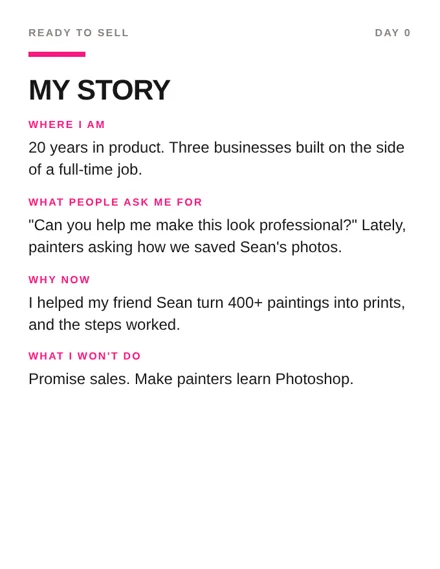
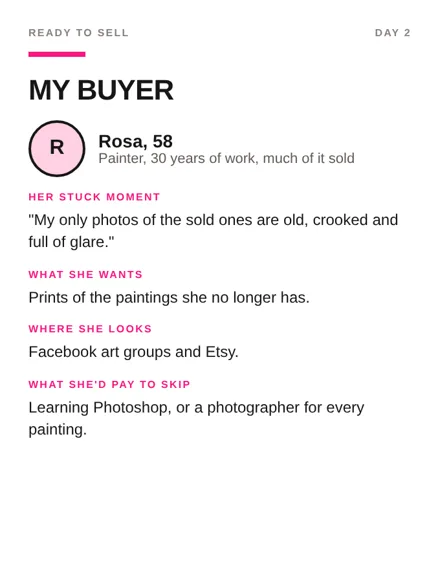
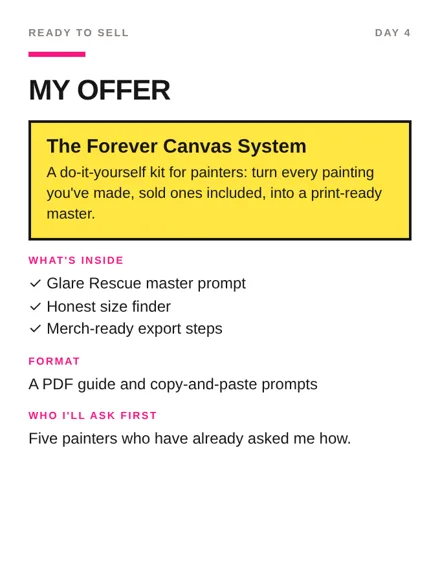
What the files about your business look like. These three are real. They are from my own product, The Forever Canvas System.
What you get in the basic setup.
Claude learns how you talk, what you sell and who buys it, so you can stop explaining yourself at the start of every chat.
I connect the basics for you, like your email, calendar, documents and Canva, so Claude can do the work inside them and not just tell you what to click.
Hooks, carousels, Reel scripts, and one post rewritten for every place you post, so you can turn one idea into a week of posts.
Ad copy and a brief for each image, so you can have a week of ads ready to run.
Anything that reads like AI gets rewritten in your voice, so you can post it under your own name.
I pick the ones I trust and install them for you, so you don't have to hunt for what's good.
The list of tools I build and launch with, and what each one is for, so you don't have to guess which ones to trust.
I show you how to use it on your own work, and leave you one page on what to ask it for, so you can use it the next morning.
What you'll be able to do.
Things I've built.
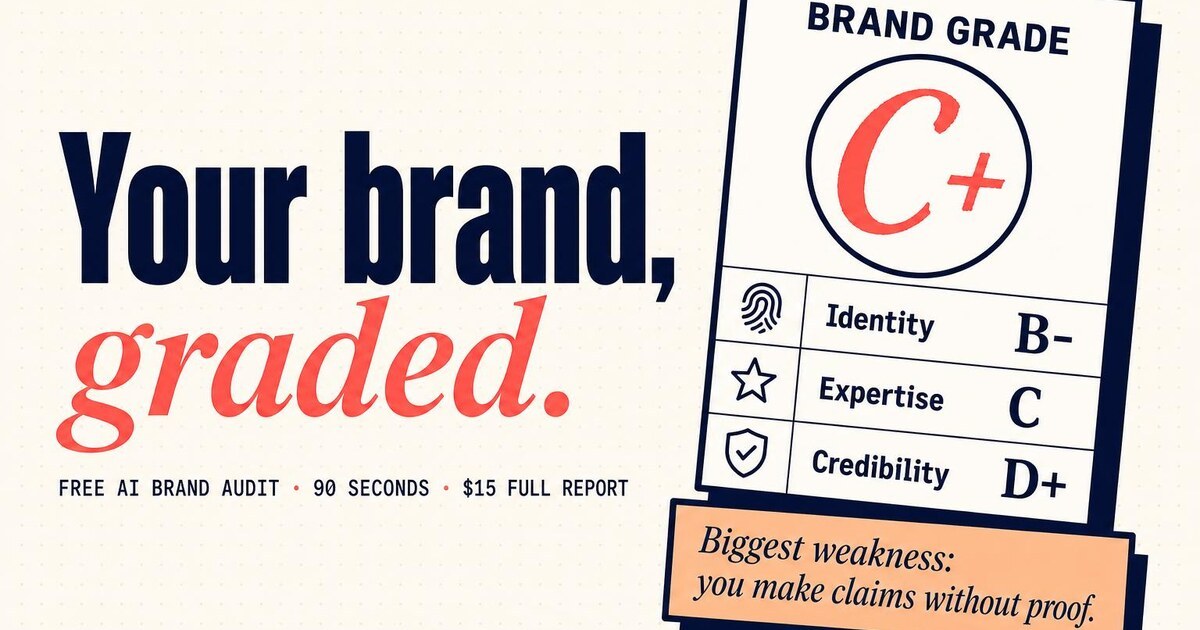
All five are online today. I built them around a full-time job.


My go-to stack. You get the whole list.
These are the tools I build and launch with, whether it's a digital product, a small app or a whole business. I don't believe in gatekeeping, so here they are.
Bold is my top pick in each group. What I use each one for is on my toolkit page.
This is for you if
- You pay for Claude and mostly use it like a search box.
- You know it could do more, and you don't have a weekend to figure it out.
- Posting for your business eats your evenings.
- You'd rather answer questions than read a manual.
It's not for you if
- You like tinkering and want to build it yourself. My free guides are for you.
- You have nothing to sell yet. Start with The Handoff.
- You want Claude to run your business without you. It drafts. You decide.
How it works.
One conversation about your business, your buyer and how you talk.
In your own Claude account. It takes me about a week.
On your real work, so the first thing you make is something you'll use.
It lives in your account. You keep it.
You do
- Have one conversation with me.
- Send me a few things you've written.
- Sign in to your own tools. I never see a password.
- Try it on your real work while I'm there.
I do
- Write your voice, offer and buyer files.
- Tune the skills so they sound like you.
- Set it all up in your Claude account, with you.
- Leave you one page on what to ask it for.
Want more? Add-ons.
I quote each one in writing before you say yes.
The basic setup, in about one week.
You need: a paid Claude plan. Claude Pro is about $20 a month and is separate.
Ask about Steal My SetupYes, but what if...
No. A prompt is something you paste every time. A skill is saved in your Claude, and Claude uses it on its own when the job comes up.
Good. You answer questions, typing or talking. I do the setup.
No. You sign in to your own accounts yourself. I never see or keep a password.
Yes, and my free guides show you how. This is for people who would rather have it done this week, by someone who uses it every day.
Stop starting from an empty box.
Want a product built too? See The Handoff or Side by Side.