“You could sell that” is a lovely sentence. Very supportive. Terrible at estimating how much work is hiding inside it.
The “that” needs a file. The file needs instructions. Someone needs to explain what it does, put it somewhere people can buy it, and make sure the buyer actually receives it. Before long, one useful idea has acquired a customer-service department. The department is also you.
This is familiar territory for me as a product manager. It is also what I’m working through in my own businesses: turning useful knowledge and creative work into things another person can understand, choose and use. I’m building tools to help with that process while doing the process myself. There is a certain efficiency in being your own case study. There is also quite a lot of email.
Two lines from my November 2–8 recap capture the assignment: “ship everything now” and “you should be able to test all by yourself.” Get the work out into the world. Make it understandable to someone who wasn’t standing beside you while you built it. This week, that question connected everything from an artist’s coloring books to gift recommendations.
The good stuff was already there
The backstory starts before this week, with Sean and the more than 400 paintings he had already made. There was plenty of talent and work to begin with. The practical question was how to help more people see it, buy it and enjoy it.
We started with the photos he already had. I used AI to help restore them, checked the images, and worked on the tools and listings around the artwork. Digital prints and coloring books opened up possibilities. Each possibility came with its own very ordinary questions: which image, which file, which description, which format? How would someone choose it? How would it reach them?
Helping Sean made the business around a useful thing very visible. Someone can have knowledge, experience or artwork worth sharing and still need help with everything surrounding it. That is the connection to Unstuck with Molly, the business I’m building to help people turn what they know into something they can sell.
This week, Sean’s project gained a prepared selling catalog for seven coloring-book titles in print and digital, with listing details, images and pricing structure. Checkout, digital delivery and actual printer costs still needed work. The catalog gave the existing books a more repeatable selling setup to build on. Encouragement remains lovely; the checkout requires a few additional steps.
Give the idea something to stand on
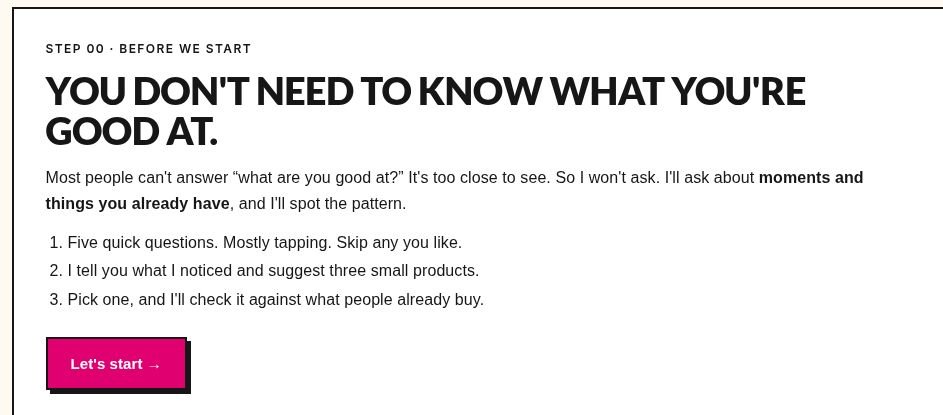
Sean’s artwork was easy to point to. Other people’s useful material can be harder to spot: a checklist everyone asks them for, a process they explain at work, or a problem they have solved enough times to have a method. That is what Find Your Idea, my free idea-finding tool, is designed to help someone notice.
It went live this week. You answer five questions and enter your email to see three small product ideas. The results gained research on similar products, possible price ranges, examples and product photos. It is easier to think about making a workbook when you can see what similar products look like. “A thing, probably?” is a difficult design brief.
Those findings give someone things to investigate. They cannot promise that an offer will sell. The useful next decision is more specific: who might this help, what would go inside it, and what do I still need to learn? If the AI gets stuck, the tool now has more ways to try again, including a custom prompt you can copy into Claude, an AI assistant, to continue there.
The free resources got attention too: a final batch refreshed 11 guides, and seven libraries now contain 35 ready-to-use AI prompts between them. The new 50 Side Project Ideas guide can be downloaded immediately and sent by email; a test mailbox received the correct link. The point of all that writing is to give someone a usable next step. A useful guide should do some of the thinking with you.
Someone has to be able to open the thing
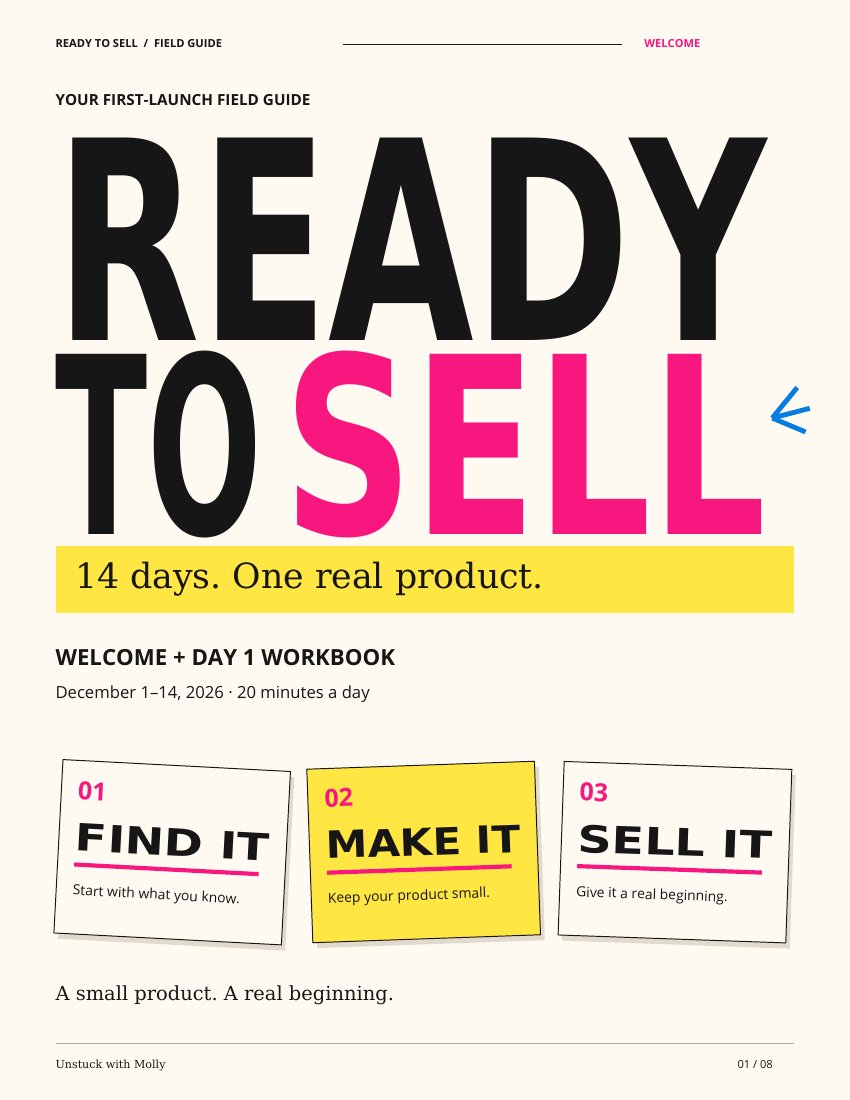
Once an idea exists, the questions become gloriously specific. What format would help? What should it look like? What needs to be inside it? Ready to Sell is the challenge I’m building to help people turn what they know into a useful digital product and work through the setup around selling it.
This week, its design tool gained a clearer sequence: look at four visual references, keep favorites, approve the plan, then review a sample before the final files. Four examples give you something to react to. A sample gives you something to inspect. “Make it good” has several million possible interpretations.
The build supports an instruction PDF, an optional workbook, a cover image and a matching sales page. Every product needs instructions, including the ones that are mainly spreadsheets or workbooks. Nobody opens a download hoping it comes with an escape room. PDF and workbook scenarios were tested, and a search for design references worked after a fix. The complete participant walkthrough still needed checking.
The less glamorous improvements matter for the same reason. Research became downloadable, the phone layout improved, and editing posts was changed to preserve earlier work. Placeholder posts were flagged, and the writing help became clearer about separating evidence about buyers from guesses. Decisions you have already made should stay made until you choose to change them.
Then there are the emails. Welcome links now take existing subscribers to the free tools without asking for their email again. A separate automatic follow-up asks them to confirm their spot. The November 17 and 23 warm-up emails were written for those future dates. These are the little moments when a person needs to know: yes, your action worked; here is what happens next.

The internet was not in the planning meeting
I know what my tools do because I’m building them. Someone opening an Instagram post has none of that context. They need to understand what they could make, what help they would get, and why it matters to a problem they already have. A product name cannot carry that entire conversation by itself.
Fourteen carousels—swipeable Instagram posts—went out this week, containing 117 slides. One showed the selling setup: product, page, store, checkout, email and content. Another used an iceberg to explain all the jobs underneath the visible act of creating a product. The free idea finder got its own introduction too.
Sunday’s line was “Your group chat is not a checkout.” Compliments, waitlists, deposits and purchases tell you different things. I want the content to make those differences understandable while still helping someone take a step. “Love this for you” is a nice message. It does have limited payment-processing capabilities.
That repeated work of explaining an idea also fed into Ready to Post, which became its own product this week: six tools inside Claude to help turn one idea into a week of social content. New work included a voice-note workflow, a carousel maker, a place to organize the week’s posts, and a planner. Access was planned for December 14; setup on a real phone, the buyer’s experience and the delivery files still needed checks.
There was plenty waiting behind the published work: nine redesigned sets containing 70 slides still needed their images swapped into existing scheduled posts, and nine ad images were prepared. The drafts folder was participating enthusiastically. The finished publishing result I can point to is the 14 carousels that actually reached the feed.
Good gifts and other basic courtesies
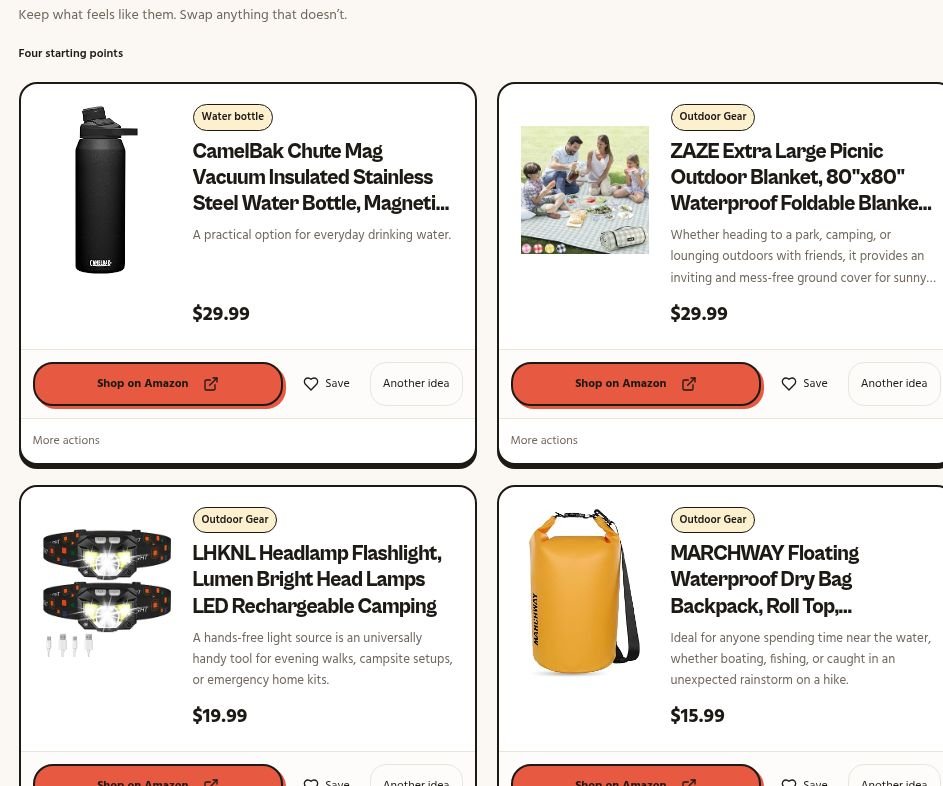
GiftShopper, my gift-recommendation project, looks like a different business until I ask the same question: what does the person need to do next? A shopper needs a gift they can look at, and choices that stay put while they compare them. A gift card playing musical chairs is adding a task nobody requested.
This week’s work let usable recommendations arrive before the whole list was finished. Four choices stay steady while a replacement is prepared, and its photo loads before the card changes. People can also give the search more useful detail: up to three interests, more specific preferences, and things the recipient should avoid or already owns.
In one controlled outdoors test using information the system already had stored, a pictured gift with a working Shop button appeared in 0.85 seconds; eight options were ready in 9.5 seconds. That is one test, not a promise about every search. It shows the experience I’m working toward: the first gift can arrive before the others have their shoes on.
The repairs matter too. Incomplete results say they are incomplete. If someone’s details save but their reminder fails, their details stay saved and the reminder gets a recovery message. The interface should explain what happened when it only managed part of the job.
QUIET, an AI business studio I’m building to help people turn what they know into a digital-product business, had its own version of these courtesies. Changes let people reopen their research, keep feedback if sending fails, and see warnings before an edit removes required parts of a product. Deletion wording became clearer about shared research that may remain after account deletion, and a price the owner changes stops being presented as the system’s recommendation. Those changes were built; checking them in the live experience remained separate.
Even the software had a paperwork problem
One of QUIET’s background systems kept collecting outdated records of previous releases until it used up its allowance for requesting more information. A cleanup for 212 old records was built. The automatic fix to stop the pile growing again still needed work. Apparently, the software had acquired a junk drawer.
Other work connected the visible pieces. The email delivering a free launch plan gained a link to the idea finder and a scheduled follow-up for eligible people who had not joined the list. A release problem was fixed and the schedule checked; that check did not establish that a message arrived in an inbox. The launch invitations were also checked against the right signup page, with a successful discounted purchase still to test at launch.
I also prepared clearer rules for having someone try QUIET: one tester at a time, then a conversation about what happened before moving to the next person. The test itself still had to happen. The unfinished list included a complete walkthrough of Ready to Sell’s design tool, Ready to Post’s setup and delivery, email reporting, and the checkout, delivery and printer-cost work for Sean’s books.
That brings me back to those two instructions. “Ship everything now” gets the work moving. “You should be able to test all by yourself” asks whether someone can use it without borrowing everything in my head. My own familiarity with a product can cover a remarkable number of missing explanations.
The progress I can describe this week is concrete: more things to explore, inspect, download and read, plus a clearer list of what needs checking. Helping Sean, building my products and explaining them keep feeding one another. I’m doing the work, turning useful pieces into something repeatable, and sharing what that takes.
If you already know how to do something useful, look at the work around it. What would another person need to understand it, try it and use it without you beside them? There may be a product in that answer. There will certainly be a few decisions. Apparently, that is where I keep finding my next job.
Molly
Cue the extremely specific awards
My week,
unwrapped.
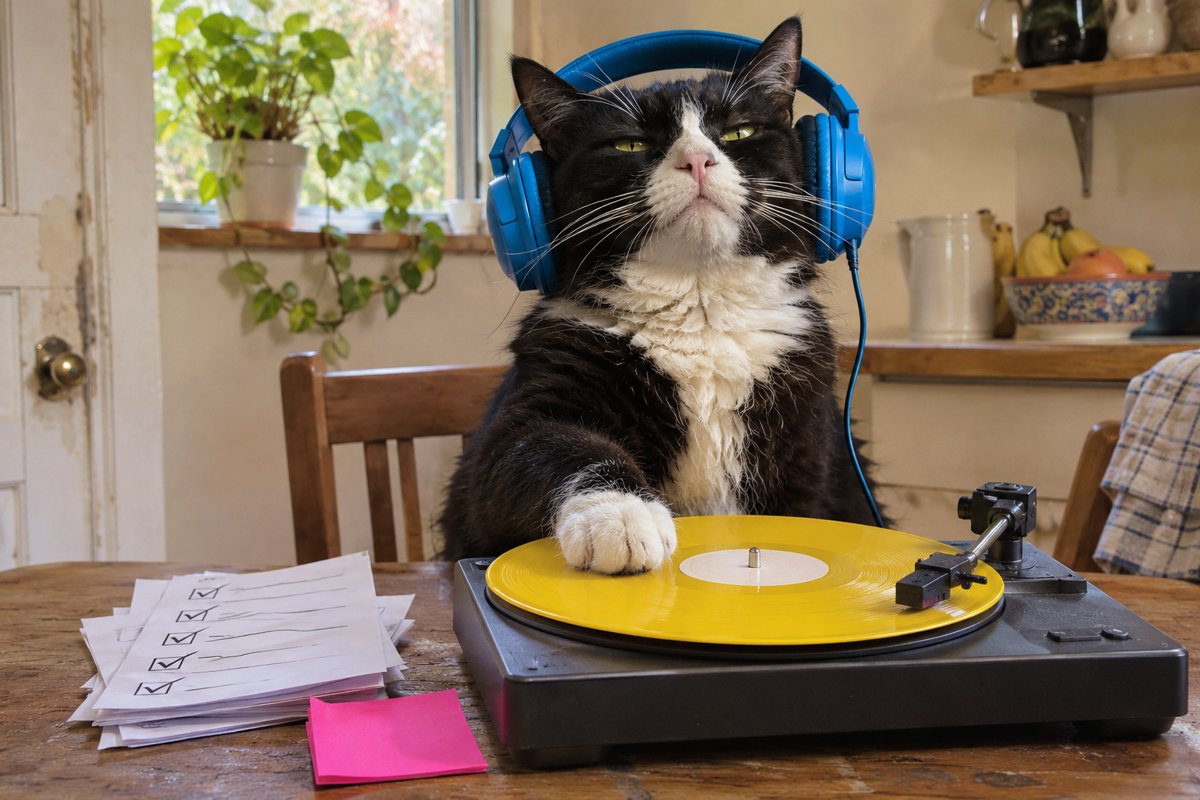
And now, because these departments clearly need a soundtrack: my week, unwrapped. The cat is handling the music. I’m explaining the numbers.
| The number | The win | What it means |
|---|---|---|
| 27 weeks | Kept showing up | Consecutive weeks with something shipped, according to my weekly activity recap. |
| 6 days | Made something move | Days with work shipped this week. A record of activity, not a sales result. |
| 14 posts | Ideas reached the feed | Published Instagram carousels containing 117 slides. The explanation got out of my head. |
| 6 projects | A very full cast | Projects touched in the weekly recap. Each needed something different to move forward. |
| 2,484 | Recorded views | Views accumulated by this week’s posts as of November 13. Views do not mean unique people or sales. |
| 35 prompts | A more useful starting point | Seven refreshed libraries, five AI prompts each. More help getting past the blank page. |
| 50 ideas | Possibilities to explore | Side-project ideas collected in one downloadable guide. |
| 117 slides | A lot of explaining | Slides in the 14 published carousels. Published this week does not mean created this week. |
The same posts had 53 reactions, 10 comments and 3 saves when analytics refreshed on November 13. Those interactions may have arrived after the reporting week. No sales or conversion result is implied.
Most on-brand line
“ship everything now”
An editorial pick from the original weekly recap. The cat has not audited the numbers.
The receipts & a note on the numbers
This letter covers November 2–8, 2026, Eastern time. Earlier founder context is identified as backstory; the work and unfinished checks reflect that reporting week. The publication date appears separately at the top of the letter.
The recap draws on my project records, original weekly activity recap, and publishing and analytics records. Public posts related to the story:
- The founder story behind the work
- A walkthrough of the selling setup
- The work beneath the iceberg
- Introducing Find Your Idea
- Your group chat is not a checkout
A note on the numbers
The original weekly recap recorded 27 consecutive weeks with something shipped, six shipping days this week and six projects touched. These describe the work recorded, rather than customer or sales results.
Fourteen carousels containing 117 slides were published through Buffer during November 2–8, Eastern time. Published this week does not necessarily mean created this week.
Posts published during the week had accumulated 2,484 recorded views, 53 reactions, 10 comments and three saves when the analytics refreshed on November 13, 2026. Those interactions may have arrived after the reporting week ended. Views are not a count of unique people, and no conversion result is implied.
The 35 refreshed AI prompts are seven libraries with five prompts each. The 50 side-project ideas are ideas in one guide. “Most on-brand line” is an editorial pick: “ship everything now.”
Product screenshots were captured November 13, 2026. The workbook is an existing format example. Cat images are original illustrations.